Bambu Lab P2S Review: The Best Budget 3D Printer in 2026?
First Impressions
The Bambu Lab P2S arrived in a compact, well-organized box. Setup took roughly 20 minutes — essentially plug in, connect to Wi-Fi via the 5” touchscreen, run the auto-calibration, and start printing. Bambu Lab continues to set the gold standard for out-of-box experience.
The build quality feels premium. The all-metal frame is rigid, the PEI textured plate attaches magnetically, and the toolhead moves with a smoothness that’s noticeably better than the older P1S. At 256x256x256mm, the build volume is slightly larger than the P1S, but not dramatically so.
Print Quality Testing
We printed over 50 test models across 15 different filaments to evaluate the P2S thoroughly:
PLA & PLA-Based Materials
- Bambu PLA Basic: Flawless. 99% success rate across 20 test prints. Layer lines are nearly invisible at 0.16mm layer height.
- Bambu PLA Matte: Excellent surface finish with no shiny artifacts. Slight stringing at 250mm/s, easily resolved by reducing travel speed.
- Polymaker PolyLite PLA-CF: Strong carbon fiber parts with minimal warping. The hardened steel nozzle handles the abrasive filament well.
Engineering Materials
- ABS & ASA: The partially enclosed design with activated carbon filter handles ABS reasonably well, though large parts (>150mm) showed minor warping on corners. For serious ABS printing, you’d want a fully enclosed heated chamber like the H2S.
- PETG: Outstanding results. Crystal clear prints with excellent layer adhesion. We achieved beautiful transparent parts at 0.12mm layer height.
- TPU 95A: The direct-drive extruder handles flexible filament well. We printed functional phone cases and gaskets without any extrusion issues.
Speed Performance
The P2S claims up to 600mm/s. In practice:
| Speed | Quality | Success Rate |
|---|---|---|
| 200 mm/s | Excellent | 99% |
| 300 mm/s | Very Good | 97% |
| 500 mm/s | Good | 92% |
| 600 mm/s | Acceptable | 85% |
For production use, we found 300-400mm/s to be the sweet spot — fast enough to cut print times by 60% compared to budget printers while maintaining excellent quality.
AI Monitoring & Smart Features
The P2S includes the same AI-powered monitoring as its more expensive siblings:
- Spaghetti Detection: Caught 3 failed prints during our testing and paused automatically, saving filament and time
- First Layer Inspection: Camera checks first layer adhesion and alerts you if there are issues
- Nozzle Clogging Detection: Detected a partial clog during a long PETG print and suggested a cold pull
The AI features aren’t perfect — there was one false positive where a complex tree support structure was flagged as spaghetti — but they’re genuinely useful and saved us from at least 3 wasted prints.
AMS 2 Pro Integration
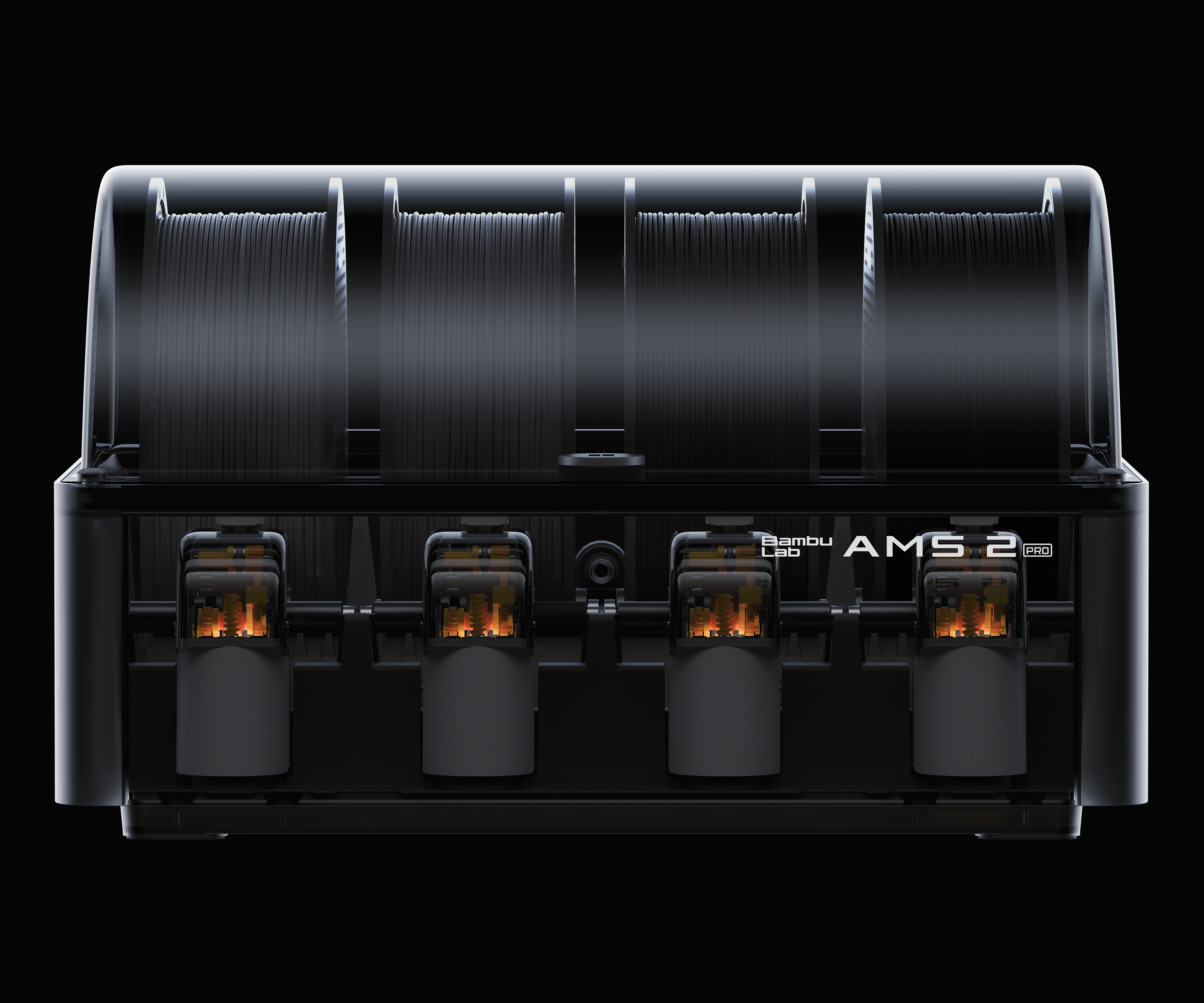
We tested with the AMS 2 Pro for multi-color printing. The setup was seamless:
- Automatic filament recognition via RFID tags
- Filament drying with humidity monitoring
- Smooth transitions between colors with minimal waste
- Successfully printed a 4-color calibration cube with clean color transitions
The AMS 2 Pro is sold separately ($299), but it’s a worthwhile investment if you plan to do multi-color work regularly.
Noise Levels
| Mode | Noise Level |
|---|---|
| Draft (high speed) | ~52 dB |
| Normal (200mm/s) | ~46 dB |
| Silent (100mm/s) | ~38 dB |
At normal speeds, the P2S is quiet enough to share an office space. The silent mode is genuinely usable and still produces decent quality for non-critical parts.
Pros & Cons
Pros
- Outstanding print quality, especially with PLA and PETG
- 20-minute setup with excellent auto-calibration
- AI monitoring genuinely saves failed prints
- AMS 2 Pro support for multi-color printing
- Competitive $899 price point
Cons
- Partially enclosed design limits large ABS/ASA parts
- No heated chamber — can’t print high-temp engineering materials like PAHT-CF
- AMS 2 Pro sold separately
- Camera quality is adequate but not great for streaming
Verdict
The Bambu Lab P2S is the best budget-to-midrange 3D printer we’ve tested in 2026. It delivers 95% of the performance of printers costing twice the price, with a user experience that’s unmatched at this price point.
Who should buy it: Beginners and intermediate users who want excellent print quality without complexity, makers who need reliable multi-color printing, and anyone upgrading from a budget printer like the Ender 3 or A1.
Who should look elsewhere: Professional users who need a heated chamber for engineering materials (consider the H2S at $1,249), or those who want multi-function capabilities like laser cutting (consider the H2D at $1,499).
Our Rating: 9.2/10 — The best all-around 3D printer under $1,000.
Disclaimer: This review is based on a P2S unit purchased at retail price. PrintWise may earn affiliate commission from purchase links.